

PRECISE CONTROL
Numeric ISO &
Shutter Speed.
Dial in ISO 200 and 1/250 s by slider or direct numeric entry. Aster displays both the hardware range exposed by your device and the active range in use.

YOUR NORTH STAR FOR MOBILE PHOTOGRAPHY
Cahaya, waktu, dan warna — fotografi murni dalam genggaman Anda.
Aster — Your North Star for Mobile Photography. Kamera manual profesional untuk iPhone, iPad, dan Android.
100% Gratis (Tanpa pembelian dalam aplikasi atau iklan) · App Store / Google Play
YOUR DEVICE. YOUR EXPRESSION.
Decide the exposure. Freeze the motion. Choose the tone.
Aster returns every creative decision before the shutter click back to you.
Harnessing the hardware capabilities exposed by your device, Aster puts ISO, shutter speed, manual focus, portrait depth, and white balance directly in your hands—while clearly showing the supported range of your sensor and lens.
Device capability & sensor transparency01 — MAKE IT YOURS
Intuitive sliders and exact numeric input.
Experience Aster’s manual workflow right in your browser below.

Demo range 100 — 3200
Press the shutter button above. Captured demo frames will appear here.
Experience numeric ISO/shutter input, SLR shutter sound preview, and session review.
Interactive web simulation. Sample images, color looks, and exposure ranges are illustrative and do not access your device camera. Session shots reset when switching tabs.
Tanpa pembelian dalam aplikasi · Tanpa langganan · Tanpa iklan
PRECISE CONTROL
Dial in ISO 200 and 1/250 s by slider or direct numeric entry. Aster displays both the hardware range exposed by your device and the active range in use.
REMEMBER YOUR CHOICE
Locked exposure settings, looks, and preferences persist across shots and sessions—no need to reconfigure every time you open the camera.
SOUND, BY CHOICE
Choose between a tactile mechanical SLR shutter sound or sound-off mode, and preview it anytime in settings.Regional NoteDepending on your device, OS, and region (including Japan), system-mandated shutter sounds may still play.
02 — PRO TIPS & ARCHITECTURE
From the 2× Focus Loupe to press-and-hold Super Macro and Circle-of-Confusion optical bokeh, every tool in Aster is engineered from classic camera principles.
Full 1.0× sensor resolution preserved
Magnifies only the live viewfinder preview by 2× so you can verify critical manual focus on eyes or botanical details—just like a pro mirrorless MF assist—while saving the actual photograph at full 1.0× uncropped sensor resolution.
Pinpoint close-up focus & active stabilization
Simply press and hold on a small subject in the viewfinder to lock focus at minimum focal distance with maximum stabilization—ideal for watch movements, jewelry engravings, cuisine, and wine cork or label textures.
Portrait mode & f/1.2–f/16 depth-of-field control
Tap PORTRAIT to engage the depth-of-field pipeline and dial aperture from f/1.2 to f/16. Powered by Circle-of-Confusion optical physics for creamy background separation and natural specular highlights.
Dedicated camera flip & tap-AF tracking
Switch directly between front and rear lenses with a single tap on the shutter bar. Selfie mode provides a natural mirror preview with responsive tap-to-focus on eyes and faces.
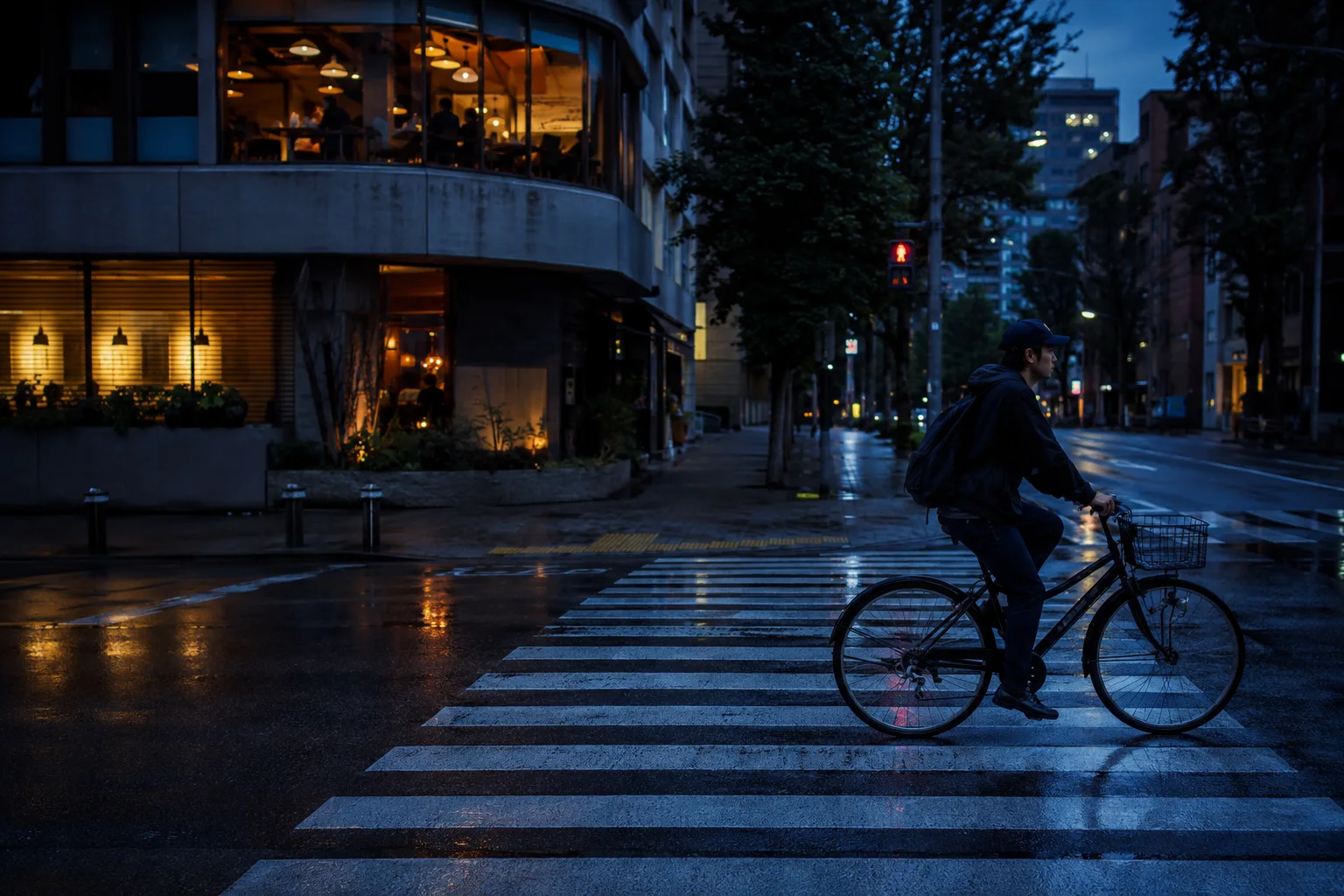
02 — FIND YOUR LOOK
From faithful natural gradation to atmospheric monochrome—choose from five curated LOOK profiles.
Illustrative sample imagery
03 — FROM SHOT TO NEXT SHOT
Stay in the creative flow without leaving the viewfinder.
Two short concept films illustrate the workflow.
Enter ISO and shutter speed numerically and continue shooting with your locked exposure settings.
Recent frames line up in the session strip. Tap to inspect, close with ×, and move immediately to your next composition.
CAPTURE HERE. FINISH YOUR WAY.
Every photograph is saved directly to your device library—ready in Apple Photos or Google Photos with zero cloud lock-in and zero telemetry.
 AsterShoot with intention
KNOW YOUR CAMERA
Supported ISO and shutter speed ranges vary by device, lens, and OS camera API. Aster clearly shows both the hardware range exposed by your device and the active range available in the app, preserving pure sensor originals without artificial AI plastic smoothing.
COMPLETELY FREE. YOUR PERSPECTIVE.
Tanpa pembelian dalam aplikasi · Tanpa langganan · Tanpa iklan
ASTER100% GRATISAll features included
$0/ 100% GRATIS
Tanpa pembelian dalam aplikasi · Tanpa langganan · Tanpa iklan
GOOD TO KNOW
No. The saved photograph is always recorded at the full 1.0× native sensor field of view and resolution. The 2× Focus Loupe only magnifies the live viewfinder preview so you can verify critical focus.
Press and hold on the subject you want to focus on in the viewfinder. Aster locks close-range focus and maximizes stabilization to capture fine textures just centimeters away.
Photos are saved directly to your device's local photo library (Pictures/Aster on Android and Apple Photos on iPhone/iPad) without altering original bytes or uploading to external servers.
Yes. Select PORTRAIT at the top of the screen to reveal the f/1.2–f/16 aperture slider. Tap your subject to set the focal plane and slide to control depth of field.
Yes, completely free ($0). There are no in-app purchases, no subscriptions, and no advertisements. Every manual control, portrait bokeh, look preset, and local storage feature is unlocked for everyone.